01 / 06
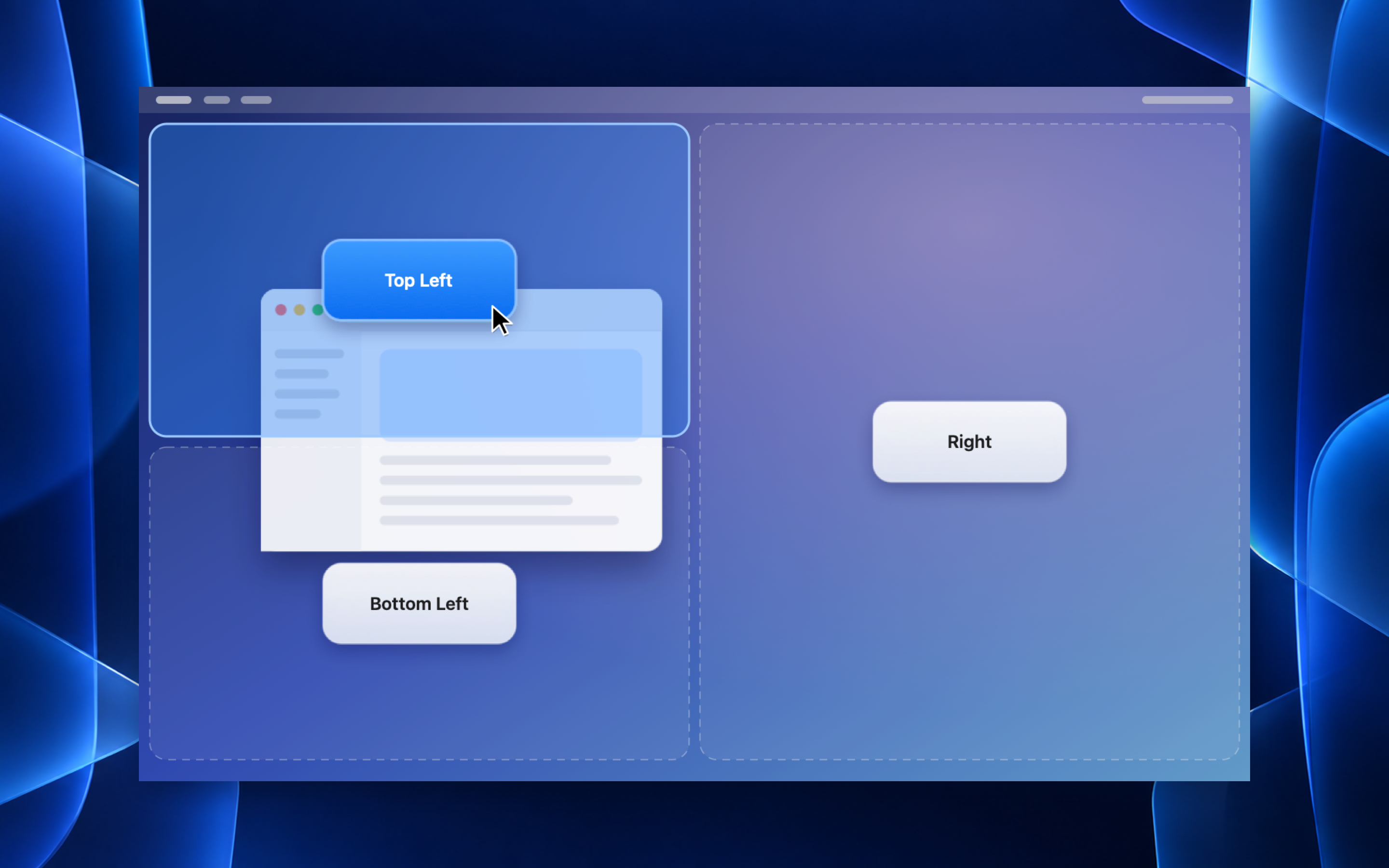
Drag, then drop
Zone tiles appear as you drag a window. Release it on the tile you want.
Arrange windows around the way you work. Drag a window into a zone or press a keyboard shortcut — Quick Snap adjusts its size and position.
Free · macOS 26 or later · No account needed
 Quick SnapmacOS 26+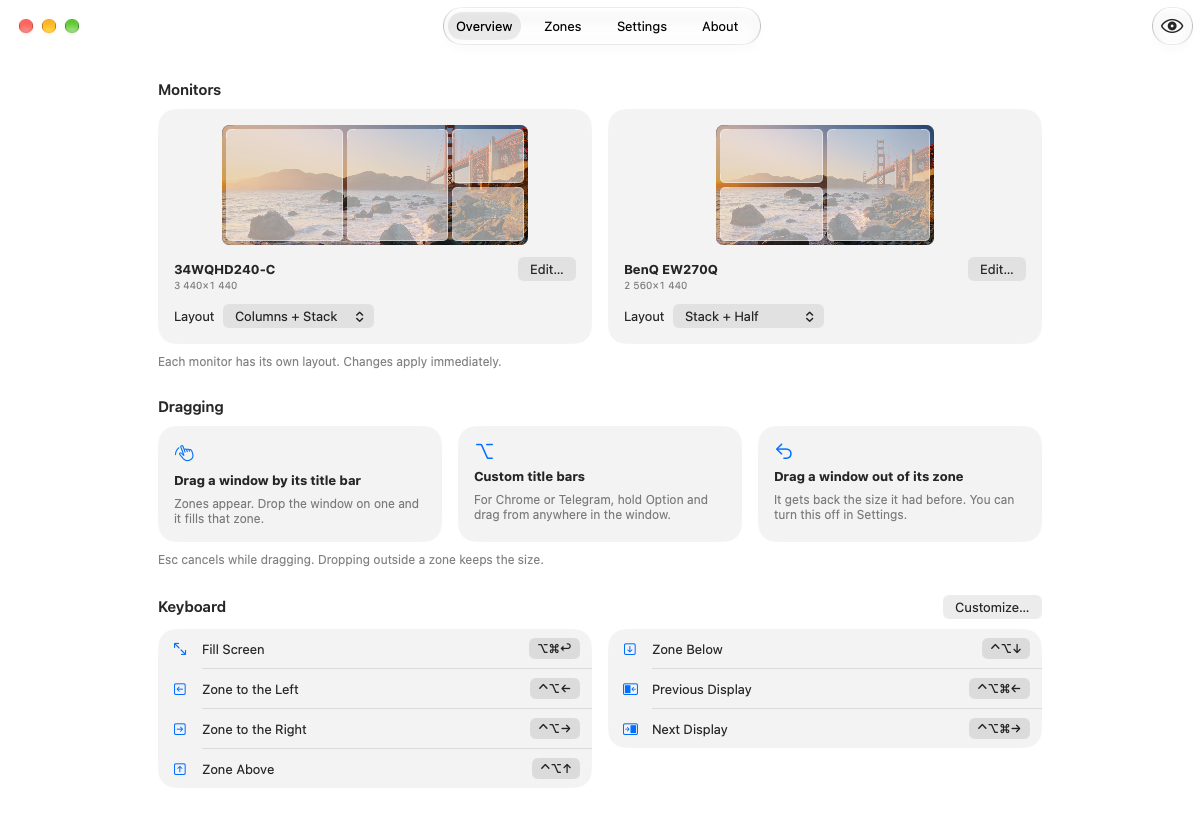
Every display at a glance
See how a window snaps into place and how zones become your layout. The illustration and app screens open at full size.
Zone tiles appear as you drag a window. Release it on the tile you want.
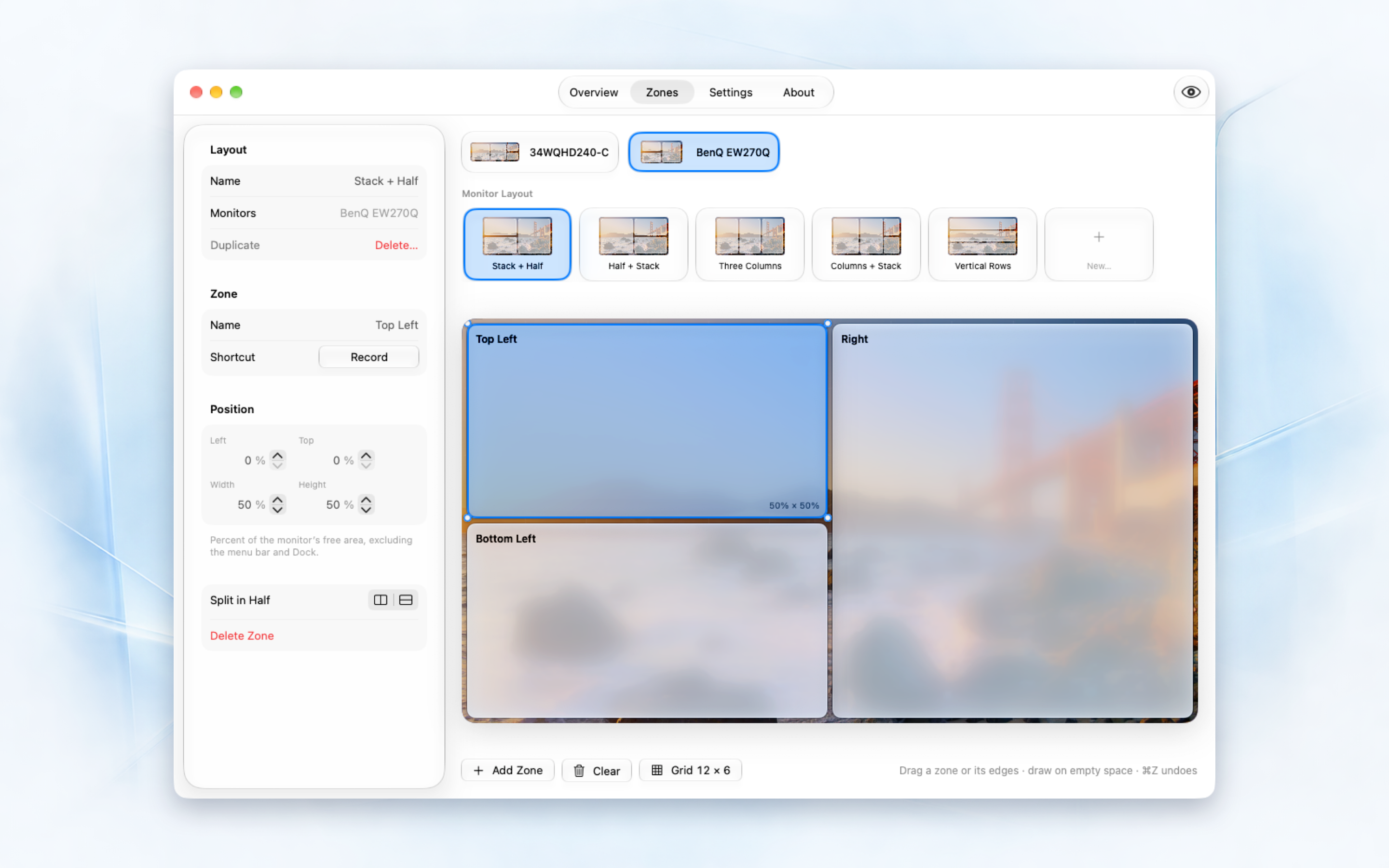
Start with a preset, draw zones, and set their exact size.
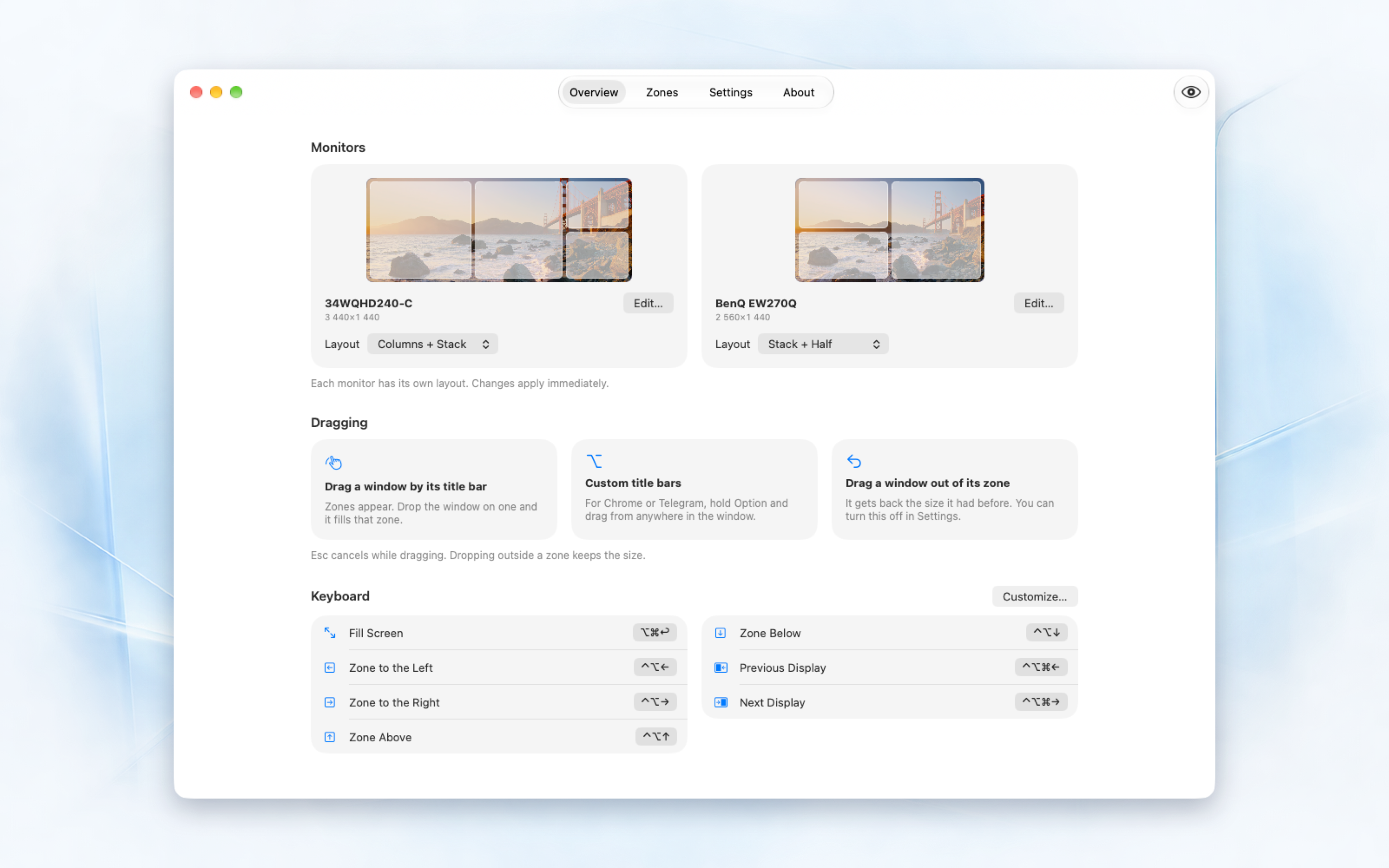
See which layout is assigned to each monitor.
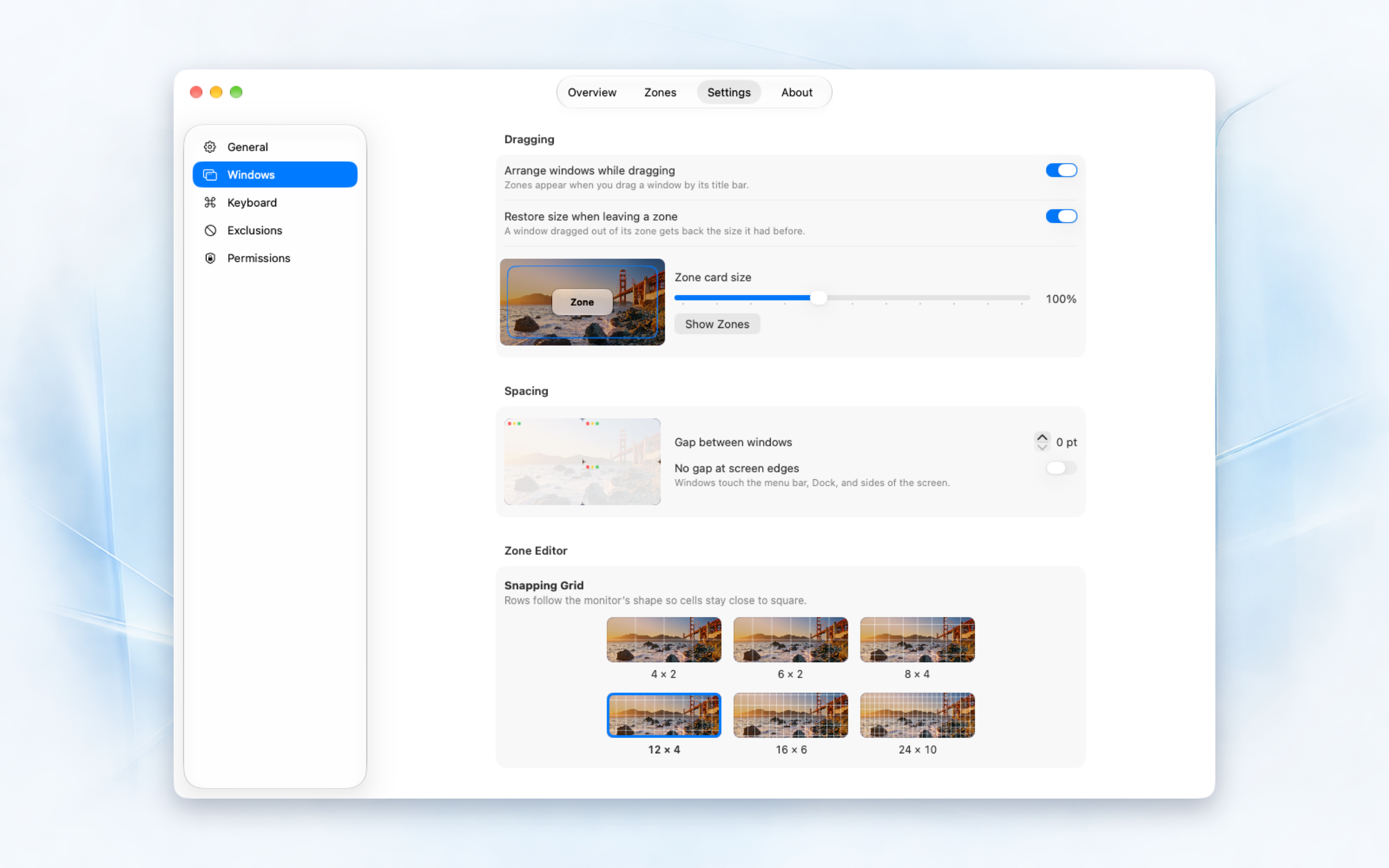
Adjust drag snapping, window gaps, and tile size.
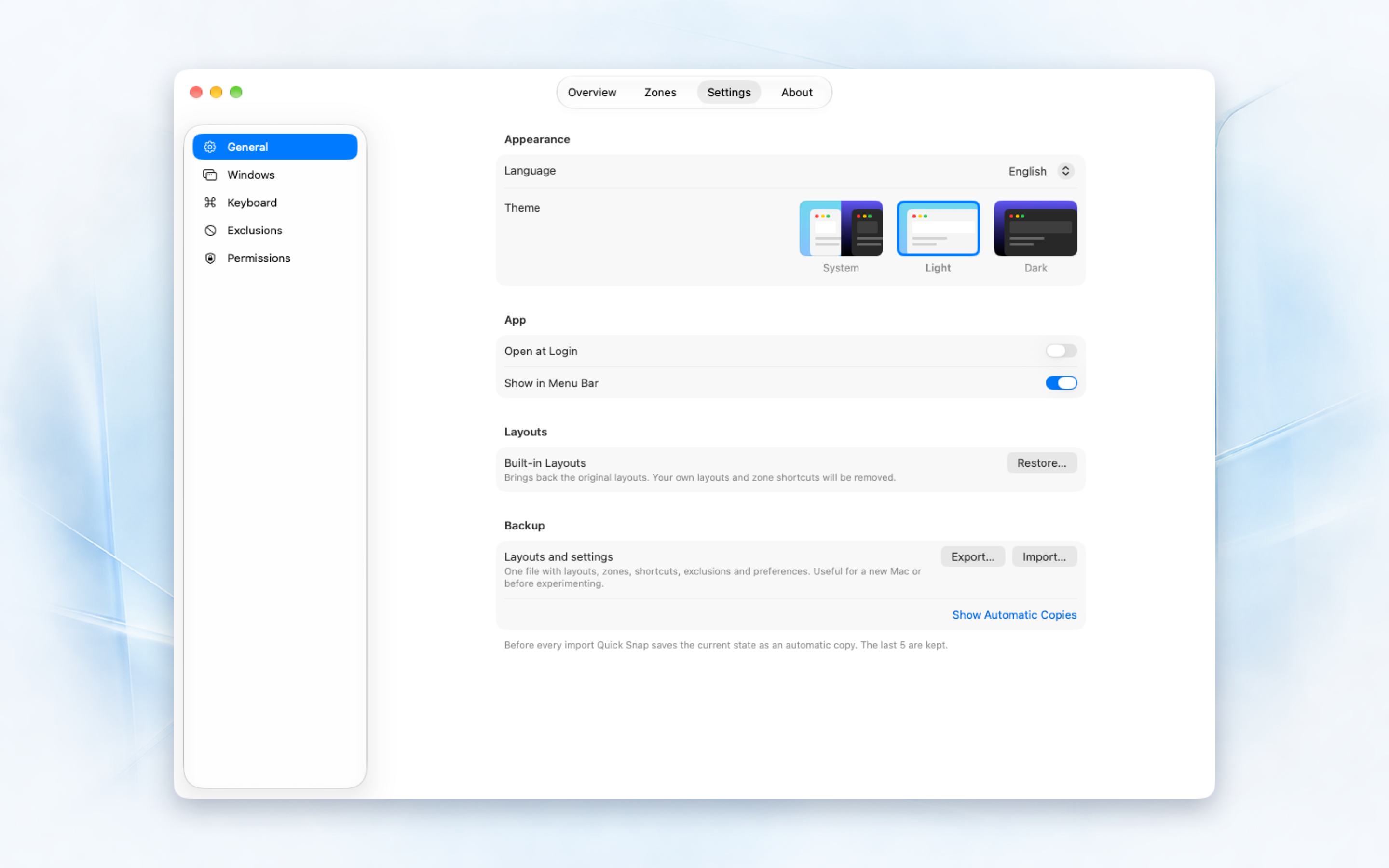
Theme, language, launch at login, and backups in one place.
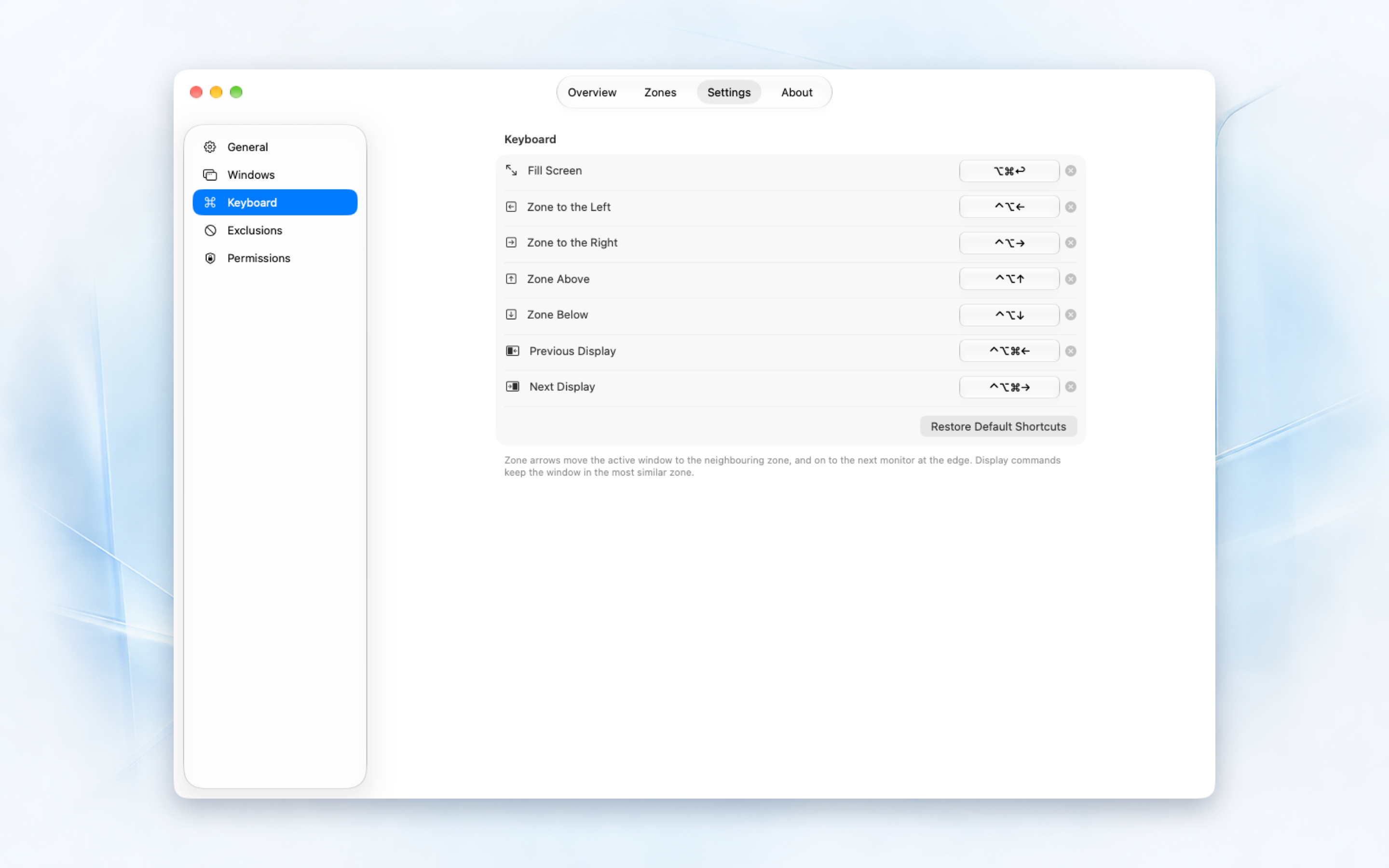
Create shortcuts for commands and individual zones.
Assign a preset to your display or draw your own zones in the editor.
Grab the window by its title bar. Zone tiles appear across your displays.
The window fits the selected zone. Drop outside the tiles to keep its current size.
Draw zones on a grid, resize them, and set their exact position. Start with a preset or an empty layout.
Assign a separate layout to each monitor, including ultrawide and portrait displays.
Move windows between zones and displays. Customize shortcuts for commands and individual zones.
Pull a window out of its zone to restore its previous size. You can turn this behavior off in settings.
Adjust gaps and tile size, exclude apps from drag snapping, and choose whether to launch at login.
Layouts and settings stay on your Mac. Export them to a backup file and import them on another computer.
Version 1.0 for Mac is Developer ID signed and notarized by Apple.
The free Quick Snap archive downloads directly from this website.
Unzip the archive and move Quick Snap.app into Applications.
Open the app’s Access settings, enable Accessibility and Input Monitoring, then restart Quick Snap.
Download Quick Snap for free using the button above. The app is Developer ID signed and notarized by Apple. Unzip the archive and move Quick Snap to Applications.
macOS 26 or later. Quick Snap is a Mac app built with native system components and Liquid Glass.
Accessibility allows Quick Snap to move and resize windows. Input Monitoring lets it recognize dragging and window-management commands. Restart Quick Snap after granting access.
Hold Option and drag from anywhere in the window. Press Escape to cancel snapping. Some apps enforce a minimum window size.
English, Russian, French, Spanish, Greek, and German. Choose a language in settings, then restart the app to apply it.